Transform Your Etsy Shop with Professional Bookmark Listings
First impressions on Etsy are visual and immediate. A potential customer scrolling through search results makes a split-second decision based on your listing image alone. If your bookmark designs—whether they are printable planners, literary art, or functional tools—are presented in a generic or uninspired way, their true value gets lost. This is where a dedicated mockup template becomes an essential design asset for any serious seller.
What Exactly is This Mockup Bundle?
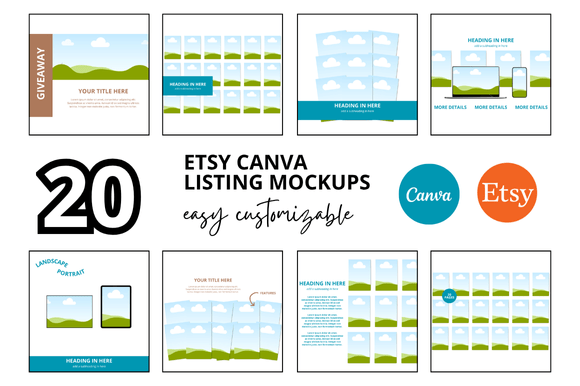
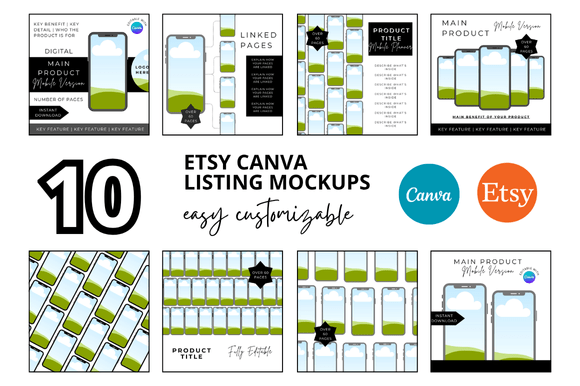
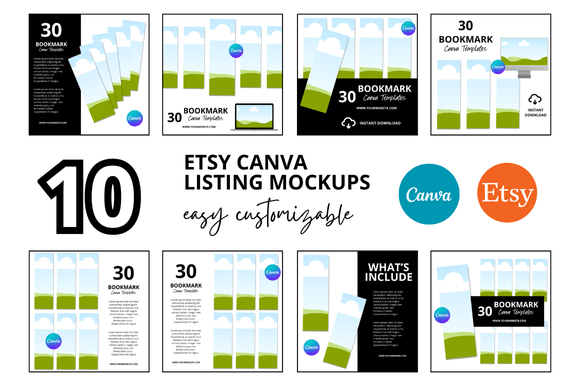
This collection of 10 Bookmark Etsy Listings Mockup templates is a curated set of Canva-based designs specifically engineered for the Etsy marketplace. Each template provides a clean, professional scene where you can seamlessly insert your own bookmark designs. The visual style is intentionally minimalist and modern, focusing attention squarely on your product. You'll find compositions that range from flat lays with subtle shadows to angled views that add dimension, all rendered in a crisp 2000 x 2000 pixel square format—the standard for Etsy listings.
The personality of these mockups is one of quiet professionalism. They don't compete with your design; they frame it. The backgrounds are typically neutral—soft whites, light grays, or gentle textures—allowing your artwork, typography, or planner layouts to pop. This approach aligns perfectly with modern typography and brand identity principles, where clarity and product focus drive engagement. The overall appeal is versatility; these templates work whether you're selling a script font-heavy inspirational quote bookmark or a sans serif font-based minimalist weekly planner insert.
Where Professional Presentation Meets Practical Application
The primary application is, of course, your Etsy Digital Listings. A consistent, high-quality look across all your shop's listings builds immediate trust and brand recognition. When a customer sees a cohesive set of square listing mockups, it signals that you are an Etsy digital seller who values quality and attention to detail. This is a key component of your shop's overall brand identity.
Beyond the main listing image, these templates serve multiple purposes in your marketing ecosystem:
- Social Media Graphics: Create stunning, ready-to-post images for Instagram, Pinterest, and Facebook to promote new releases or sales.
- Shop Banners and Covers: Use elements from the mockups to design a cohesive Etsy banner or shop cover that visually communicates your niche.
- Digital Product Bundles: When creating an Etsy printable bundle or an Etsy shop bundle, use these mockups to showcase the collection, giving customers a clear view of what they're purchasing.
- Website and Portfolio: If you sell on your own site or use a portfolio to attract freelance clients, professional mockups elevate your work from simple files to desirable products.
The influence on your audience is significant. A clean, professional mockup enhances readability by eliminating visual clutter. It establishes a clear visual hierarchy, guiding the viewer's eye to the most important element: your design. This consistency across your Etsy digital shop fosters brand perception as reliable and high-quality, which can directly influence conversion rates.
Choosing and Using Your Mockups Strategically
Selecting the right mockup from the set of ten is a strategic decision. Consider the mood of your design. A delicate, hand-drawn handwritten font bookmark might pair best with a mockup that has a soft, textured background, while a bold, geometric design could shine in a cleaner, more starkly composed scene. This is where your eye as a designer or content creator comes into play.
Practical guidance for integration:
- Evaluate Project Fit: Before finalizing a listing, place your design into several different mockups from the bundle. Which one best complements the colors, style, and intended use of your bookmark?
- Test Font Pairings Visually: If your bookmark features text, the mockup will show you how that creative font interacts with the overall scene. Does it remain legible and impactful at the small thumbnail size?
- Review the Included Styles: The ten templates offer variety. Use a close-up crop for a detailed design, a full-bookmark scene for context, and perhaps one with a hand or stylus for a sense of scale and usability.
- Ensure Readability: Always check that your design's key details—text, intricate patterns, color gradients—are clearly visible within the mockup frame. The goal is to inform, not just decorate.
Remember, these are Canva Link Templates. Once you duplicate them to your Canva account, the customization is straightforward. You upload your bookmark design file (a high-resolution PNG or JPG is ideal), drag it into the designated placeholder, and adjust the size and position. The instant download and customizable Canva mockups process saves you hours that would otherwise be spent on complex software like Photoshop, allowing you to focus on creating more digital products.
Ultimately, investing in a set of Etsy mockup templates like this is about investing in your shop's perceived value. It's a practical step that bridges the gap between creating a great product and presenting it in a way that resonates with buyers, builds your brand identity, and supports the growth of your Etsy digital seller business. The time saved and the professional consistency gained are tangible benefits that extend far beyond a single listing.