5 Notebook Planner Mockup Bundle + Bonus: Your Visual Content Shortcut
Creating a cohesive and professional-looking digital product shop requires more than just a good idea; it demands consistent, high-quality visuals that stop the scroll. For anyone selling digital planners, journals, or printable notebooks, the pressure to produce beautiful mockups for every new listing can be overwhelming. This is where a dedicated resource like the 5 Notebook Planner Mockup Bundle + Bonus shifts from a nice-to-have to a fundamental part of your workflow.
Understanding the Core of This Mockup Bundle
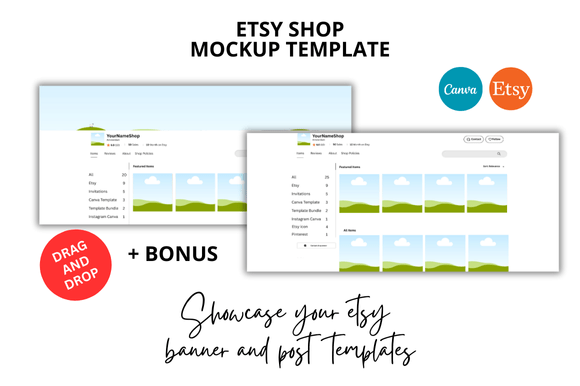
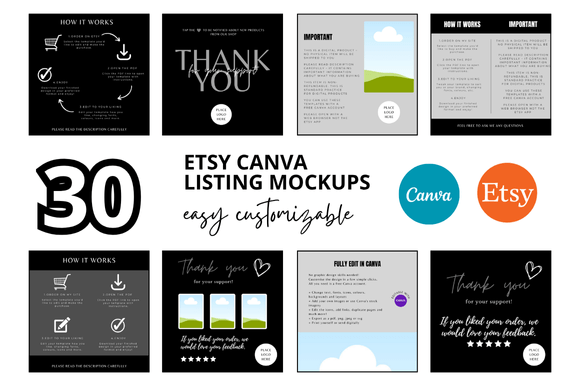
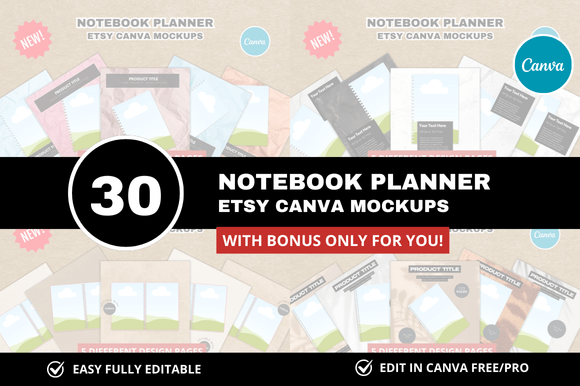
At its heart, the 5 Notebook Planner Mockup Bundle + Bonus is a set of pre-designed, customizable templates built inside Canva. It's not just a collection of static images. Think of it as a flexible toolkit. You receive 30 distinct Etsy listing mockups, each sized at a crisp 2000 x 2000 pixels, perfectly square for platform consistency. The "bonus" isn't an afterthought; it's additional assets designed to extend your branding toolkit further, giving you more value from a single purchase.
The visual personality of these templates leans heavily into a clean and professional look. This isn't about cluttered, overly styled scenes. The backgrounds are often neutral—think soft linen textures, clean marble, or simple wooden desks—that allow your actual notebook or planner design to be the hero. The styling uses soft, natural lighting and shallow depth of field, mimicking a high-end product photography setup. This aesthetic communicates quality and trustworthiness to potential buyers, which is crucial for establishing your shop's reputation.
Practical Applications Across Your Business
The true strength of this bundle lies in its versatility. For the Etsy Digital Seller, these are your frontline marketing assets. Use them to create a series of listing images that show your planner from multiple angles: a flat lay, a perspective shot showing the spiral binding, and a close-up of a beautifully designed page. This visual storytelling answers customer questions before they're asked.
Beyond the Etsy shop, these mockups become invaluable for broader brand building. Here’s how you can deploy them:
- Social Media Graphics: Create a consistent feed on Instagram or Pinterest. Use one mockup style for "New Arrival" posts and another for "Design Detail" close-ups. The uniform square format makes planning your grid effortless.
- Website and Blog Content: If you have a blog discussing planning tips or design processes, featuring your products within these mockups adds a layer of professionalism that a simple screenshot cannot match.
- Email Marketing: Announce a sale or new product launch with a visual that feels premium and intentional, increasing click-through rates.
- Pinterest Pins: The high-resolution square format is ideal for creating pins that stand out. You can add text overlays directly in Canva to highlight features like "Instant Download" or "Fully Customizable."
Integrating Mockups into Your Design Workflow
Adopting this bundle is about saving time without sacrificing quality. Instead of spending hours learning complex software like Photoshop to create mockups from scratch, you can drag and drop your design into a pre-built scene in Canva. This efficiency is a game-changer for small business owners and solopreneurs.
However, a practical tip: consistency is key. While you have 30 options, resist the urge to use a completely different background for every single listing. Choose two or three mockup scenes that best represent your brand's aesthetic—perhaps one with a marble background and one with a cozy fabric—and rotate between them. This builds visual recognition. Customers will start to associate that specific clean, professional look with your shop, strengthening your brand identity.
Evaluating Fit and Making the Most of Your Purchase
Before diving in, consider your specific product line. These mockups are ideal for notebook planners, journals, and similar printable or digital products. If your designs are vibrant and colorful, the neutral backgrounds will make them pop. If your style is minimalist, the clean lines of the mockups will complement it perfectly.
Once you have the Canva Link Templates, take an hour to explore. Look at how the layers are structured. Can you change the background color of the notebook cover within the mockup? Can you adjust the shadow intensity? Understanding these customization points allows you to tailor each mockup precisely to your product, ensuring the final image is a true representation. This attention to detail is what separates amateur listings from professional ones, directly impacting customer trust and, ultimately, conversion rates.
Ultimately, the 5 Notebook Planner Mockup Bundle + Bonus is more than just a set of images. It's a strategic asset that solves a core problem for digital product creators: the need for beautiful, consistent, and efficient visual marketing. By integrating it into your process, you reclaim hours of time while elevating the perceived value of your work, allowing you to focus more on creation and less on presentation logistics.